Dexciss Technology - How to raise Ticket in Dexciss Customer Portal
Here is the detailed procedure is given like How to raise Tickets on our Portal.
To raise a ticket in the Dexciss Customer Portal, please Follow these steps:
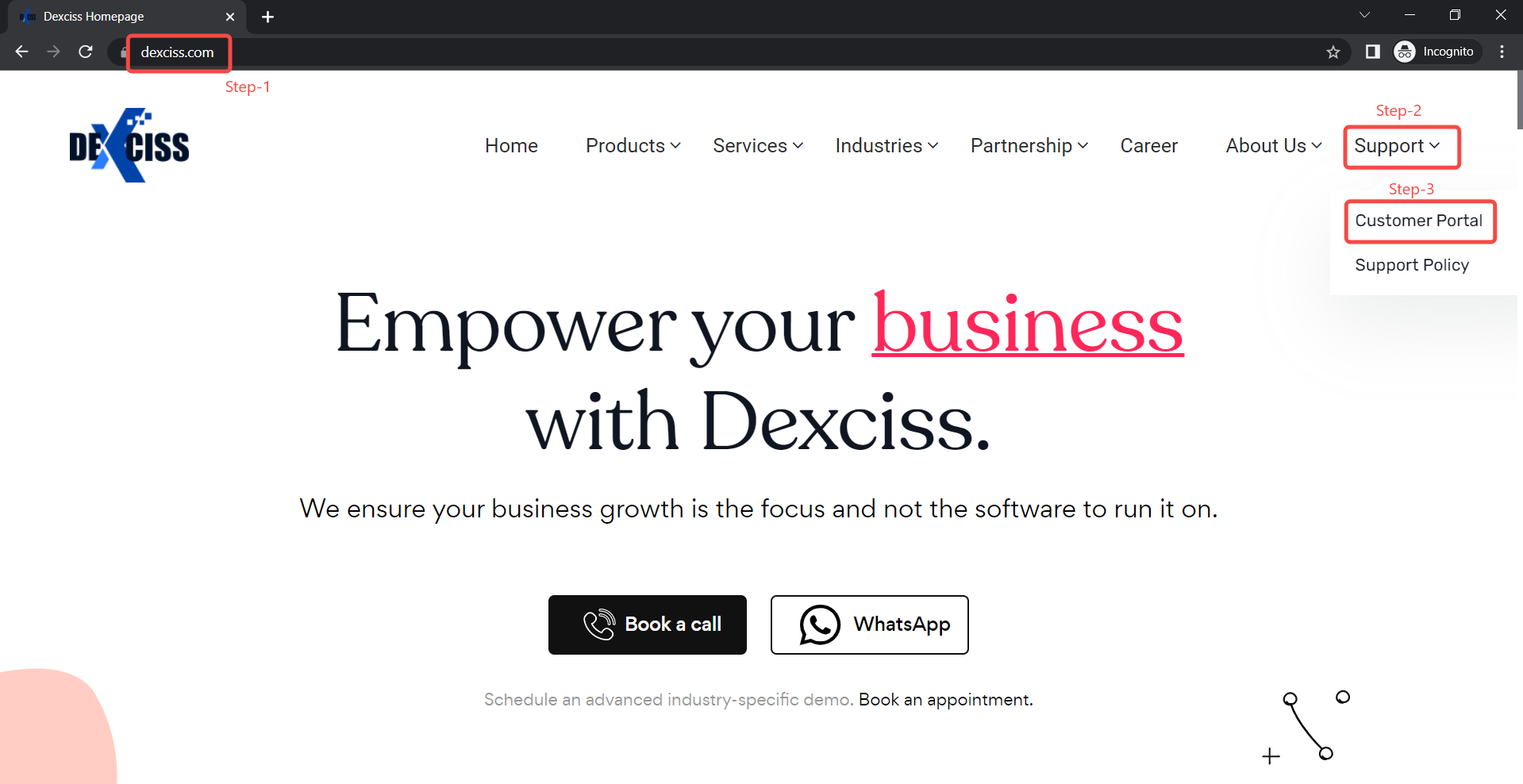
Step-1 : Click on the link https://www.dexciss.com.
Step-2 : Click on Support Button.
Step-3 : See list view, Click on Customer Portal.
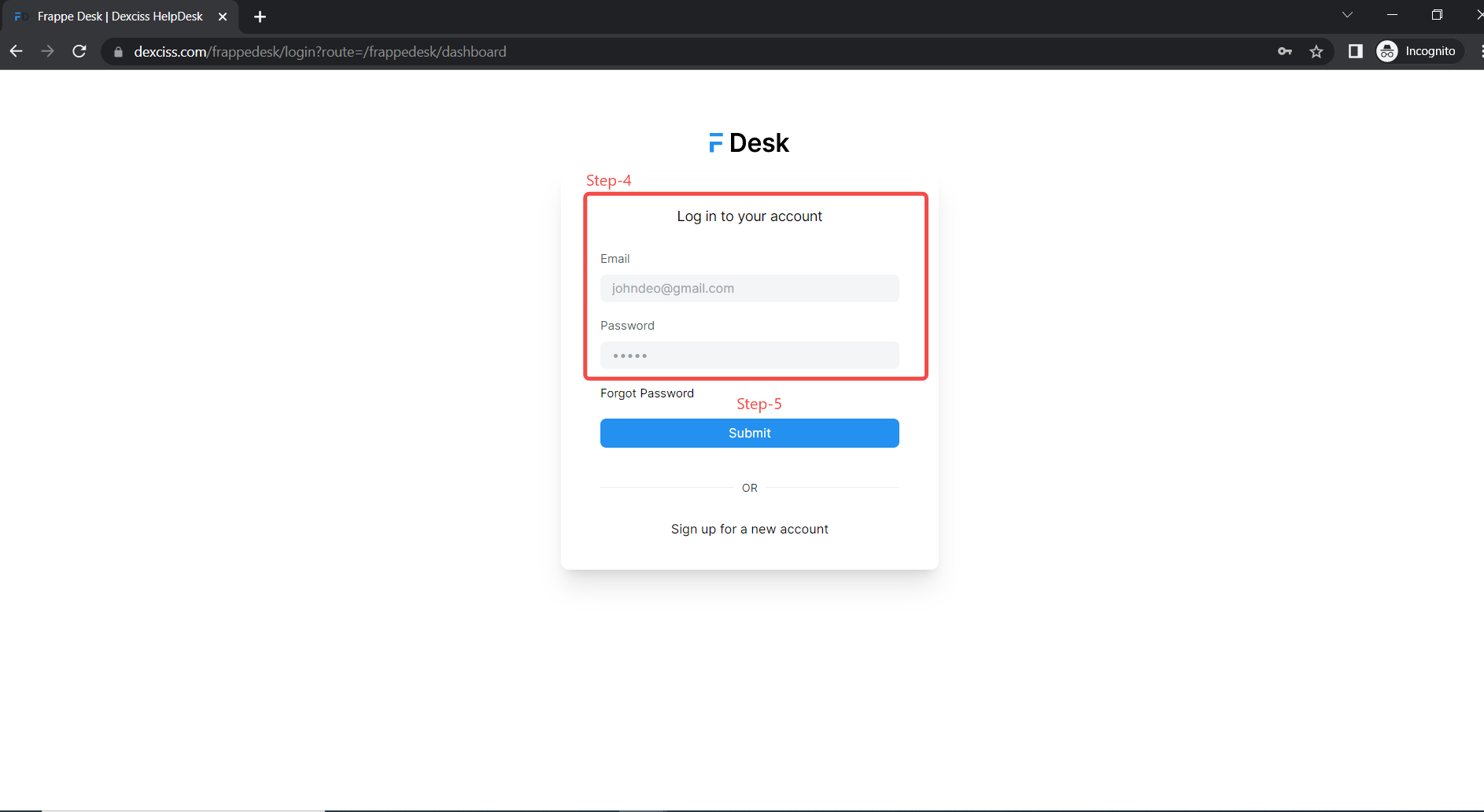
Step-4 : Enter registered email address and password.
Step-5 : Click on Submit Button.
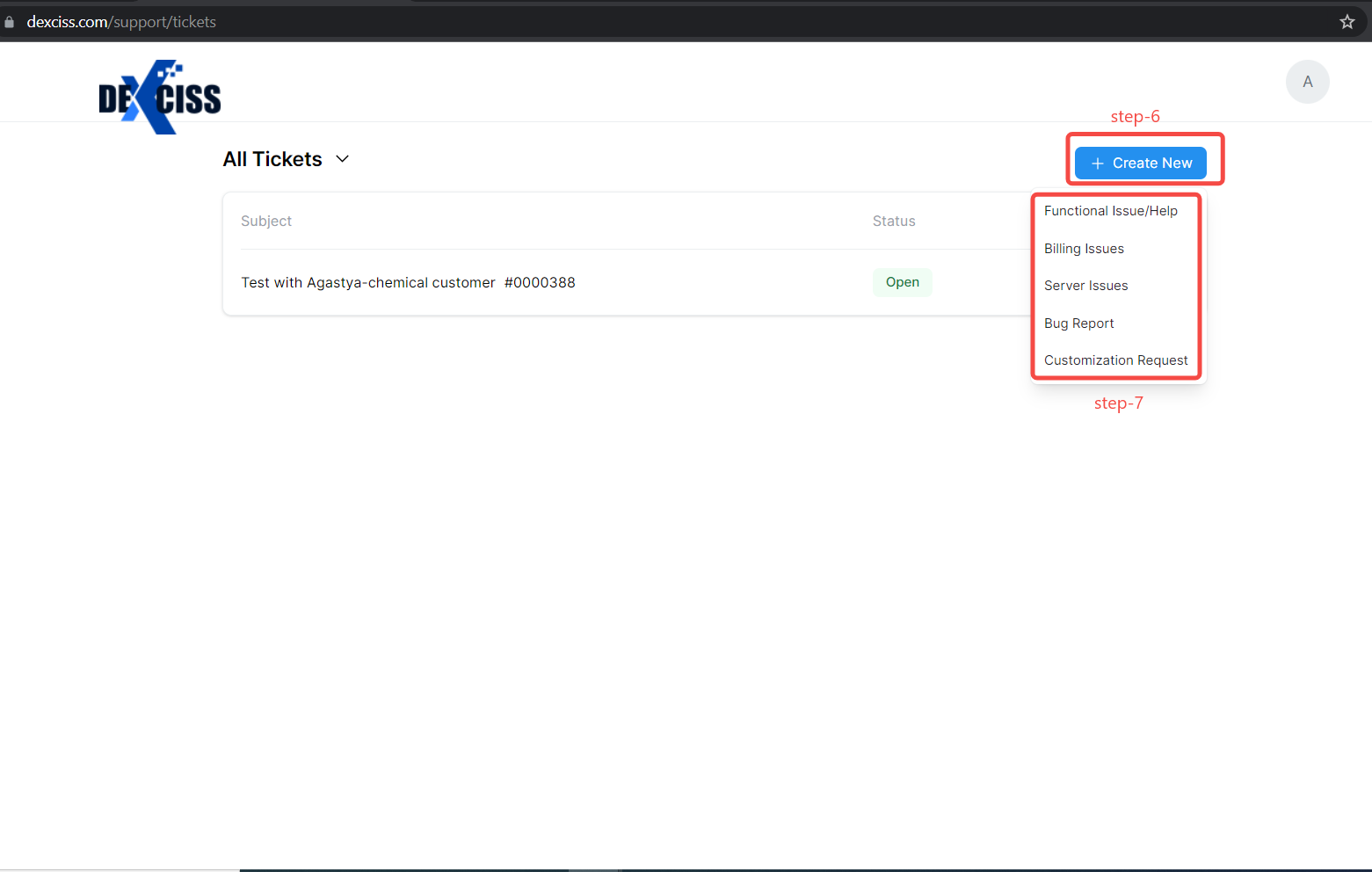
Step-6: Once you are logged in, click on the "Create New" button.
Step-7 : Select the type of ticket template you want to create(e.g., Functional issue, billing issue, etc.).
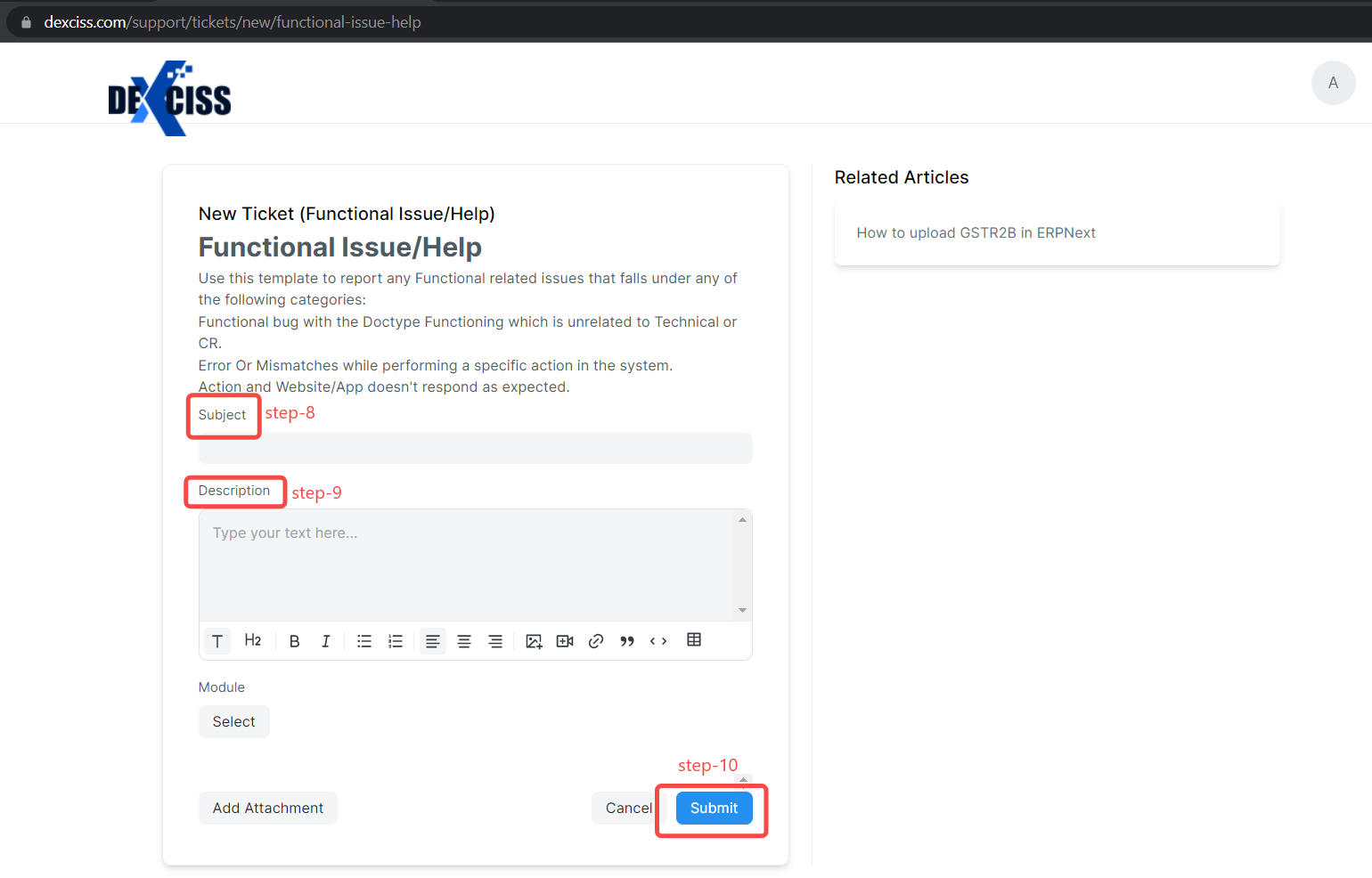
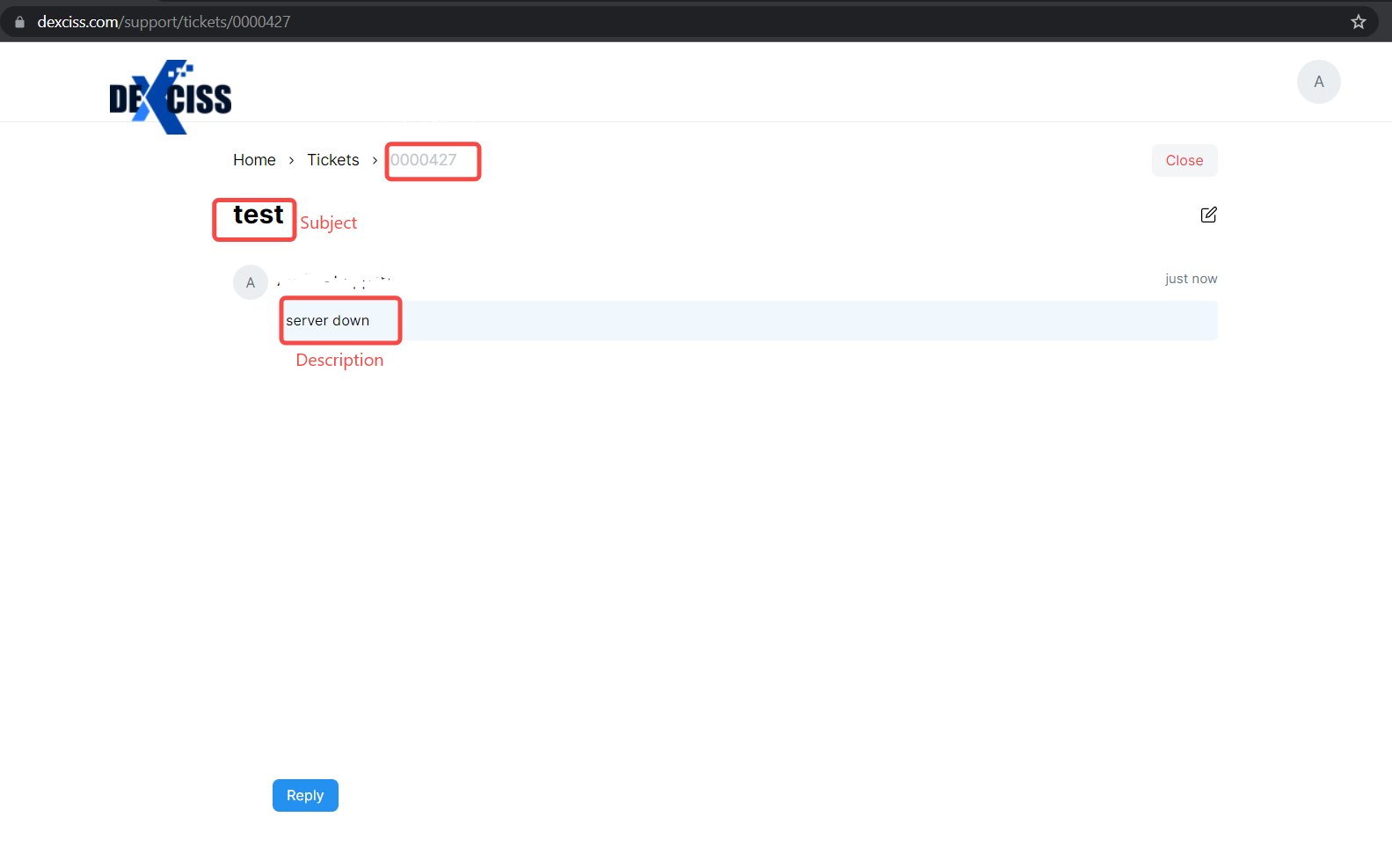
Step-8 : Enter a brief summary of the issue you are facing in the "Subject" field.
Step-9 : In the "Description" field, provide a detailed description of the problem you are encountering and other fields needed.
Note : You can also include any relevant screenshots or attachments to help the support team better understand the issue.
Step-10 : Finally, Click on the "Submit" button to create the ticket.
Step-11 : Check Ticket Details(Ticket number, Subject and description ) and You will receive a confirmation email with a ticket number, which you can use to track the status of the ticket.
Some other Details:
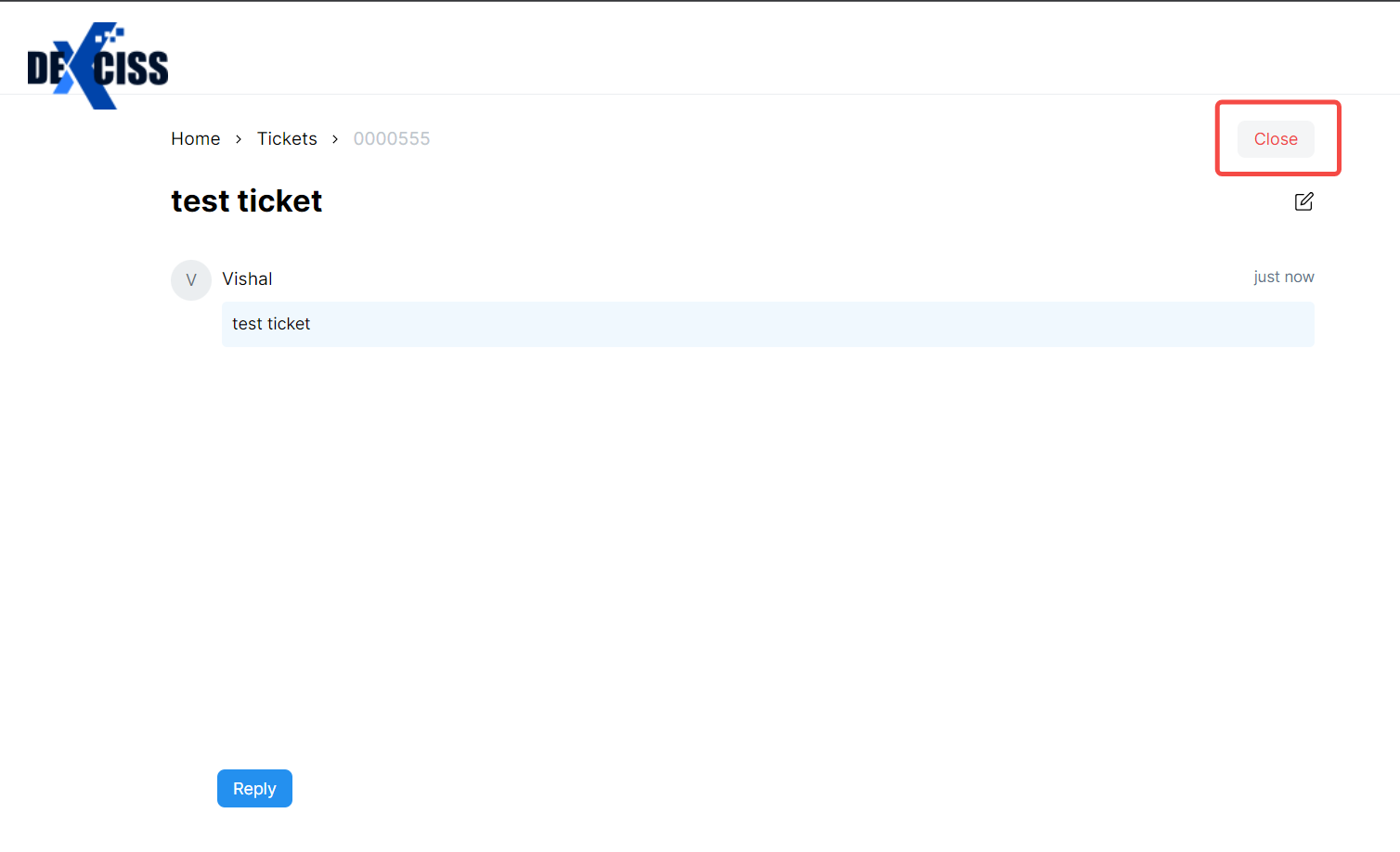
- In some cases customer itself took solution for the ticket, Took Solution from support team directly or No need of CR/Resolution For the Ticket. Use this Close button.
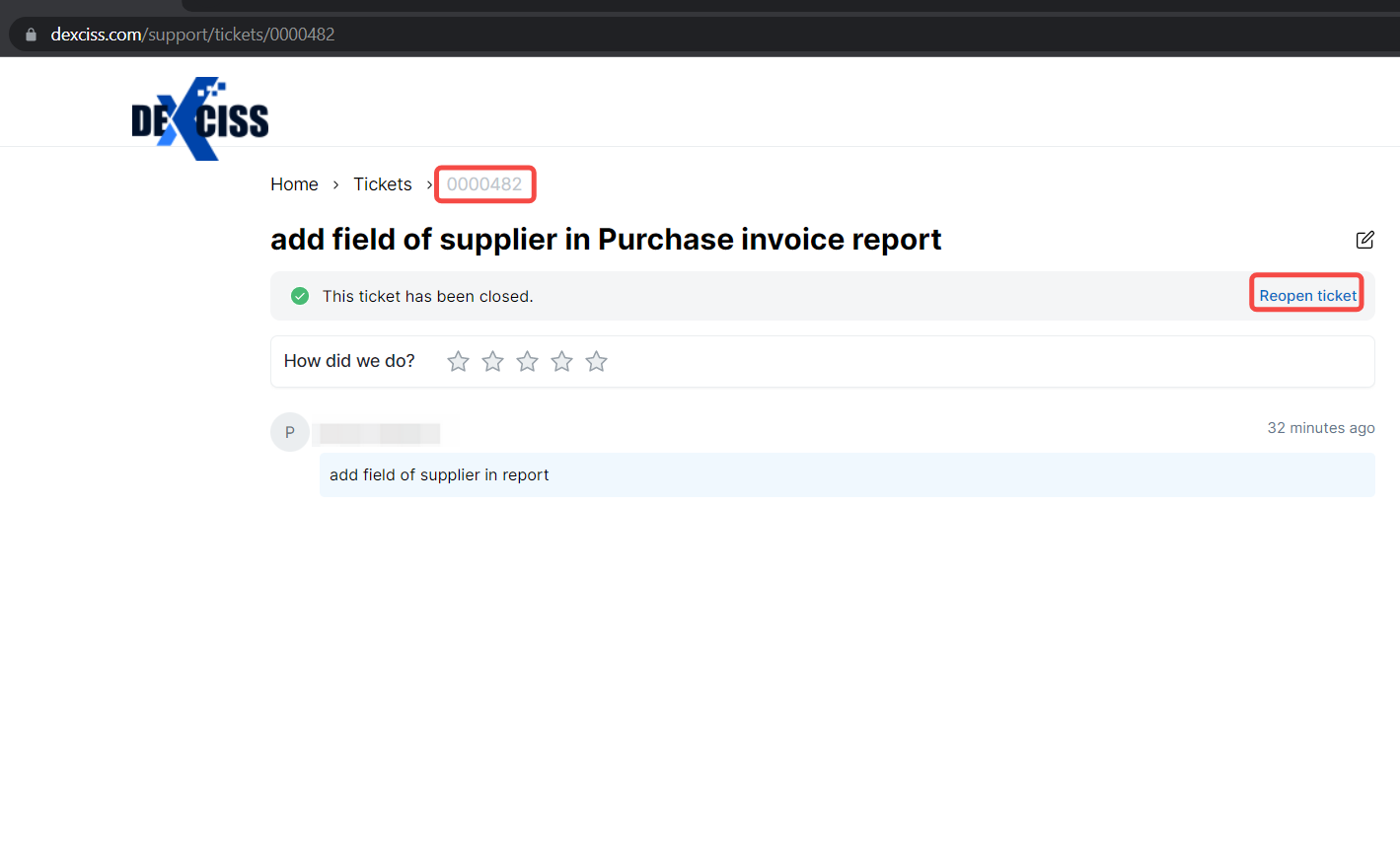
- If Ticket not resolved completely or Facing the same issue repeatedly, want to Reopen the Ticket. Use Reopen Ticket Button.
- A button or features that displays the status of All Tickets.
Customer will able to view all tickets by filtering like "All tickets" in the system.
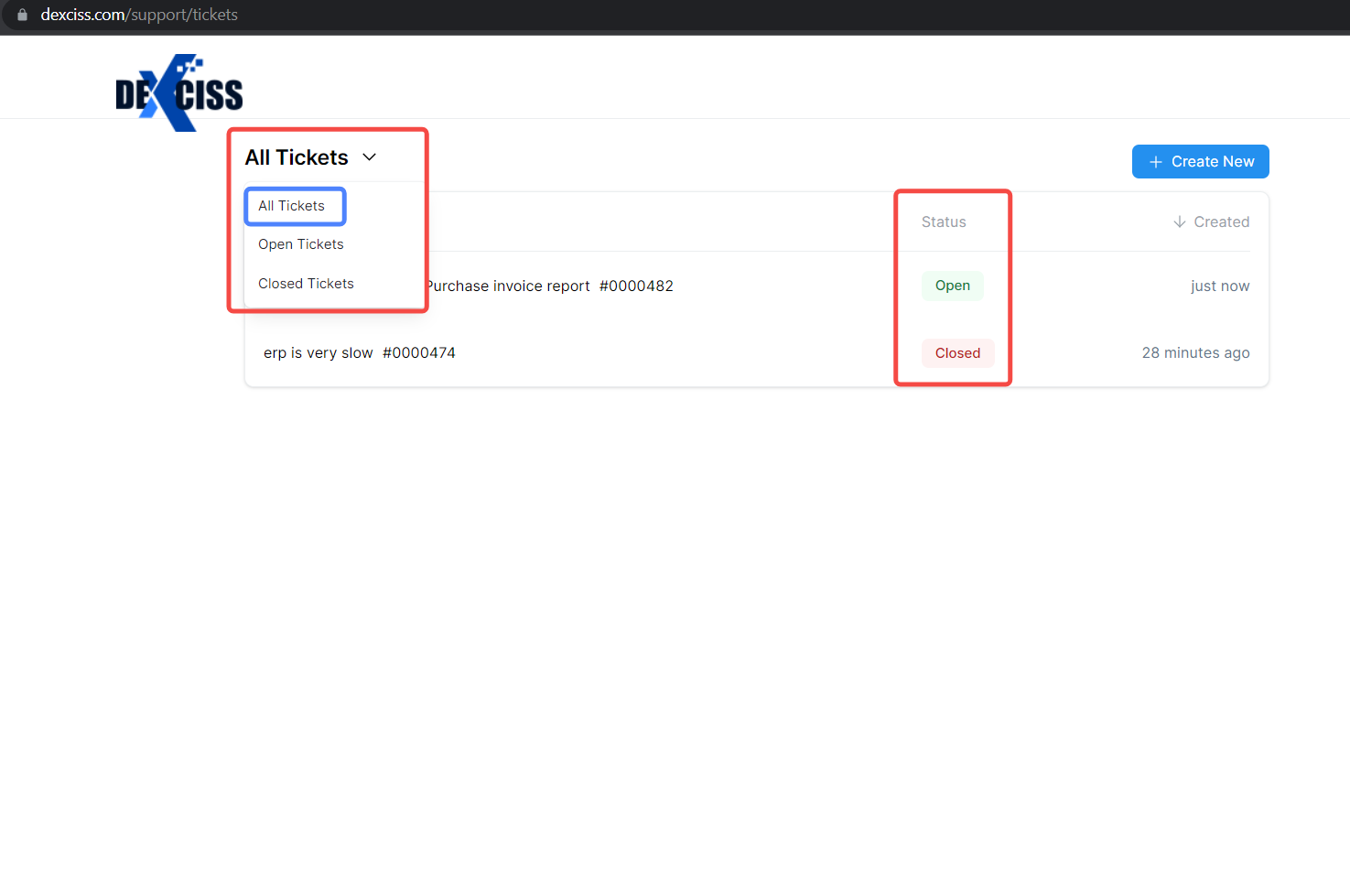
- Similarly, the Button Open Tickets.
Filter to open tickets in the list view to see, which not resolved and under developing tickets.
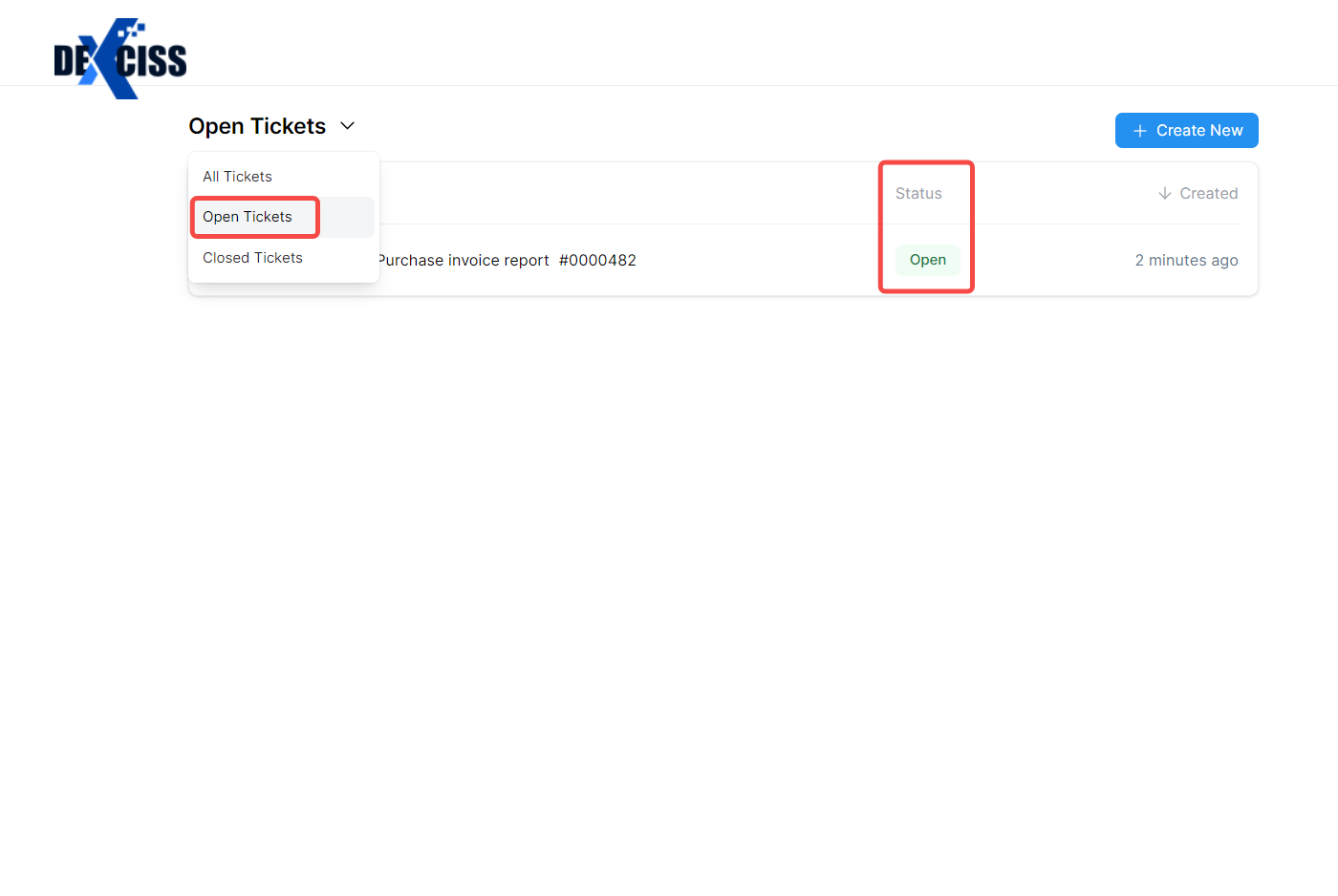
- The Button Closed Tickets.
Filter to closed tickets in the list view to see, which already resolved tickets.
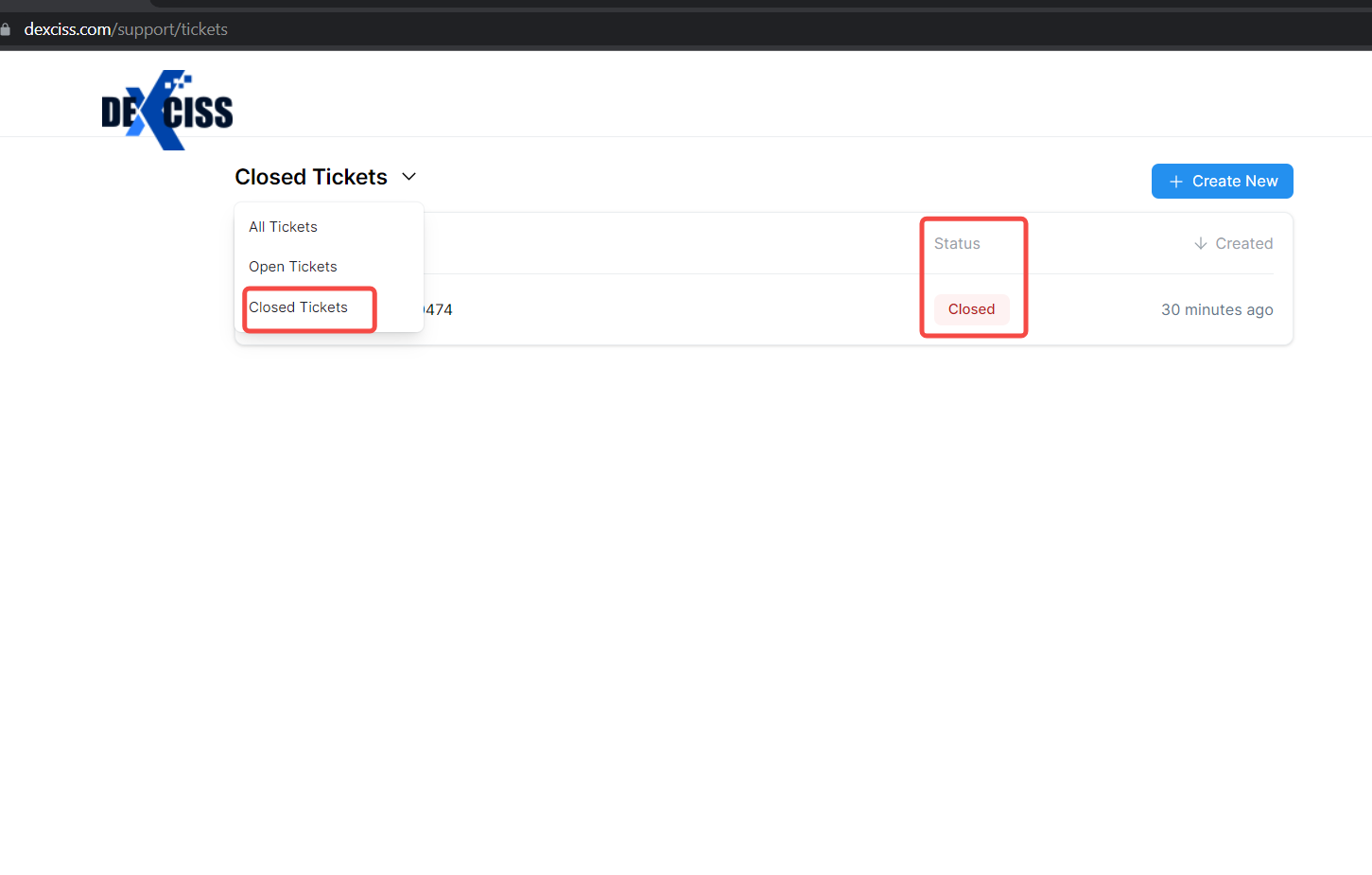
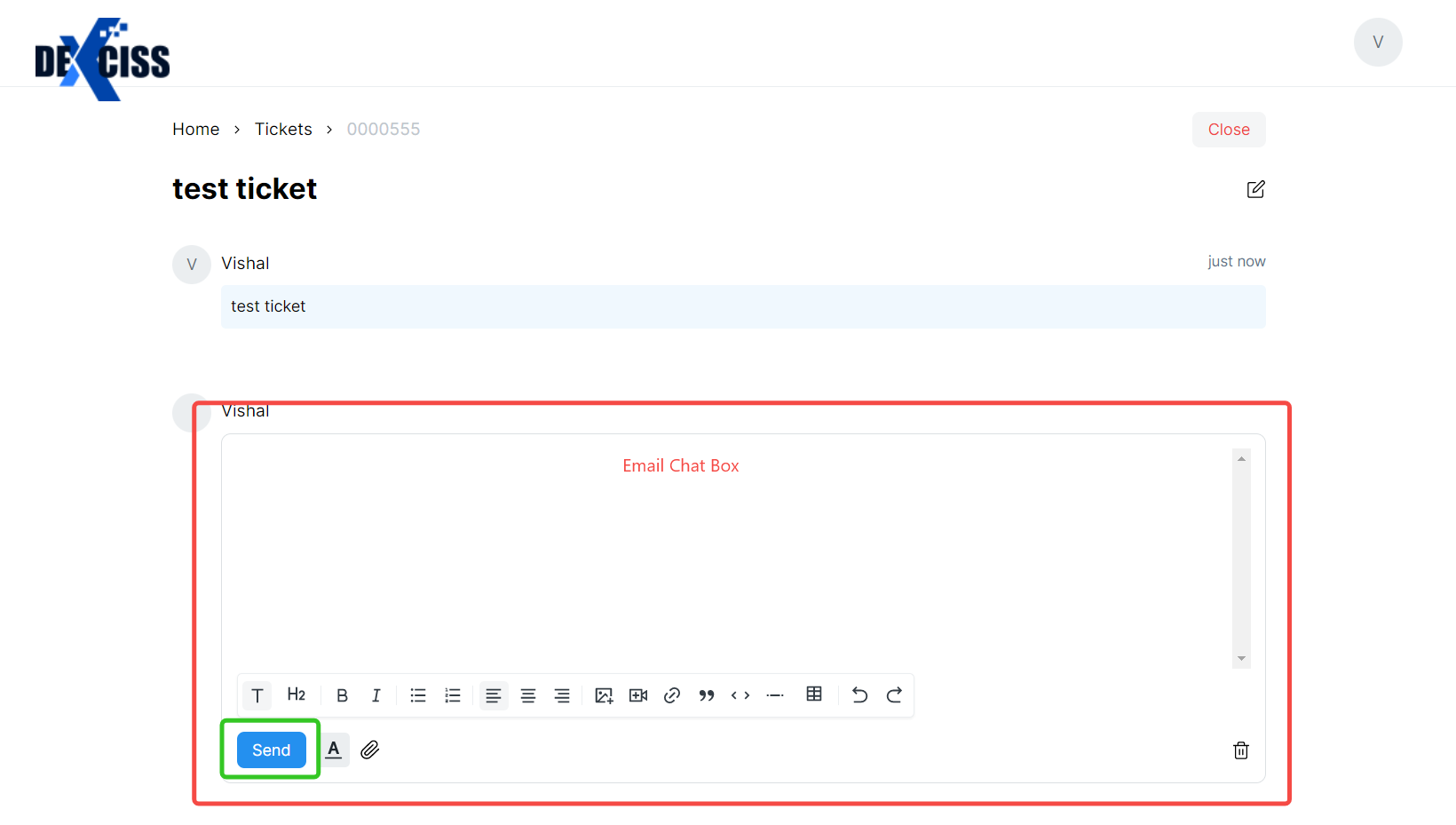
- Here is the useful tool "Email Chat Box" for facilitating real-time communication between customer and support teams. When Ticket raised in the portal, a chat box can help improve the customer support experience to quickly and easily connect with support agents, ask question, and receive assistance.
No comments yet. Login to start a new discussion Start a new discussion